

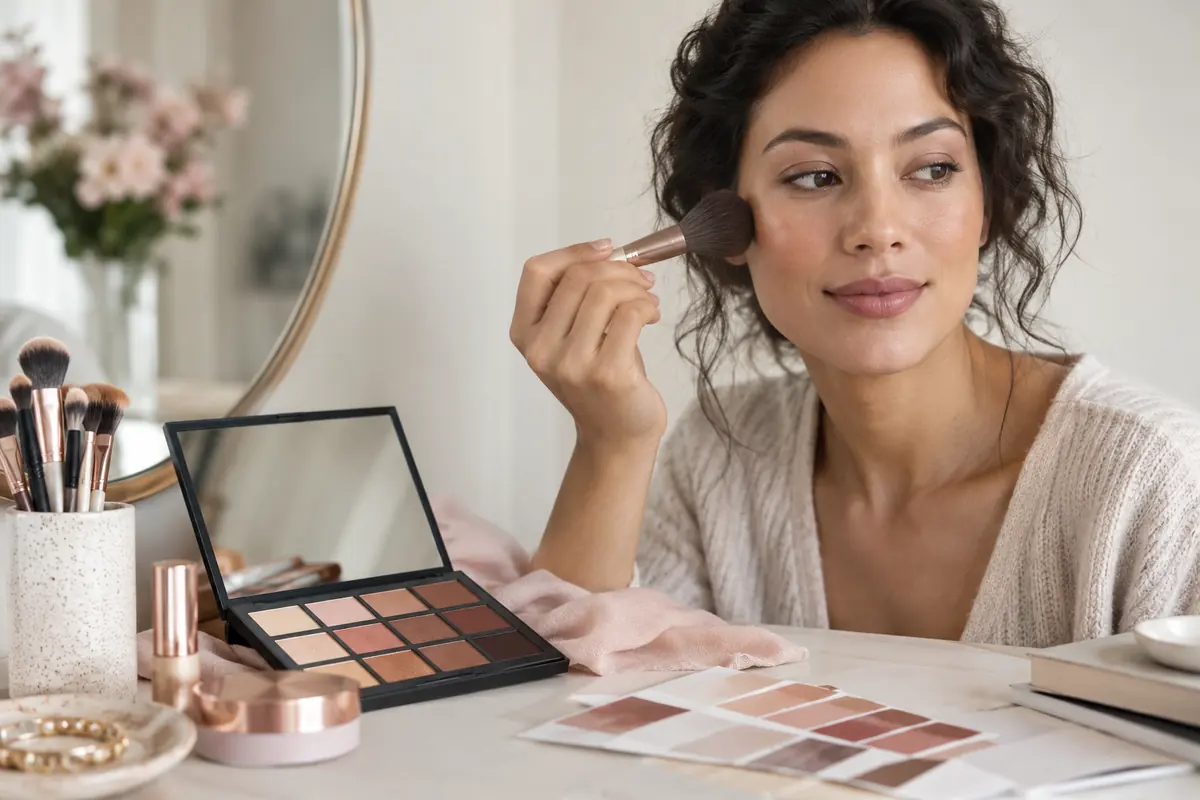
There is a particular kind of regret that lives in a drawer: the foundation that looked right under the shop's lights and turned grey by lunch, the bold lipstick worn once, the eyeshadow palette with eleven shades you will never touch. Makeup is one of the few things we buy to wear on our face and still buy nearly blind.
Virtual makeup try-on was supposed to fix that. Mostly it was built to do something else, to keep you on a brand's website long enough to add a lipstick to the basket. Used the way the marketing intends, it is a toy. Used deliberately, it is a genuine decision tool: a way to see a look on your face, in your colouring, before any money or any appointment is involved.
This is the pillar guide for our makeup cluster. It explains what the technology actually does, where it is honest and where it lies, and how to turn a render into a shopping list, or a brief for a makeup artist, that lands on the first attempt. The drilled-down companion guides are linked at the end and inline where relevant.
What "virtual makeup try-on" actually is
There are two different technologies hiding under the same phrase, and knowing which one you are using changes how much to trust it.
The first is AR overlay, the live-camera tools on most brand sites. They track your face in real time and paint colour onto detected regions (lips, lids, cheeks). They are fast and fun, brilliant for lipstick and blush, and weakest at foundation, because a flat colour wash cannot predict how a real cream will oxidise, grab on dry patches, or settle into texture.
The second is a diffusion render, the same family of model that powers AI hairstyle try-on. You give it a photo and a description of a look; it regenerates the image with the makeup applied, lighting it to match the rest of the face. This is what Mademoiselle's Studio uses, and it is better at showing a complete look, skin finish, eye, lip, and cheek in proportion, rather than one product floated on top.
Both share one rule that decides whether the result is useful or decorative: identity preservation.
The one thing to check before you trust any render
Before you judge a single shade, judge the face underneath it. The whole value of try-on rests on this: the person in the render has to be you.
Run the bare-face check. Open the tool, look at yourself with no makeup applied, and compare it to your mirror. Is your skin its real depth, or has it been lifted a stop or two? Is your nose your nose? Are your eyes their real size and set? If the tool has already edited you before adding a stitch of makeup, every look it shows is a look on a stranger, and the lipstick that "suits you" suits her.
A try-on that holds your identity is doing the harder, honest thing: changing only the makeup, leaving your skin tone, undertone, face shape, and features exactly as they are. That is the version worth using to spend money.
Where try-on is honest, and where it isn't
Not every product behaves the same way under a render. Here is the realistic order of trust.
| Product | How much to trust the render | Why |
|---|---|---|
| Lipstick | High | Colour on lips is the easiest thing to simulate; tone and depth read true. Finish (matte vs glossy) is the only soft spot. |
| Blush | High | Placement and intensity preview well; you mainly learn where it should sit on your face shape. |
| Eyeshadow | Medium–high | Colour is reliable; how much it "pops" depends on your eye colour and lid space, which a render shows better than a swatch. |
| Brows | Medium | Shape and depth preview well; texture (soft vs drawn-on) is approximate. |
| Foundation | Low | The classic trap: every shade looks like it matches, because the overlay tints your skin instead of predicting oxidation, coverage, and how the formula sits in texture. |
The takeaway is not "don't use it for foundation." It is: use try-on to narrow the foundation family, fair / light / medium / tan / deep, warm / cool / neutral, and then settle the final shade with the manual checks in foundation shade matching. Try-on gets you to the right shelf. It does not, on its own, pick the bottle.
How to run a session that actually decides something
The mistake is treating try-on like a slot machine, pull, pull, pull, screenshot the prettiest. A decision session looks different.
1. Start from your colouring, not from a trend
Open with what you already know about yourself: your skin depth, your undertone, your eye colour. If you have not pinned your undertone, do that first, it is the single input that decides whether a shade flatters or fights you. Find your undertone is a five-minute test you only run once.
2. Change one variable at a time
Hold the eye and cheek steady; cycle three lip shades. Then lock the lip and cycle the eye. If you change everything at once, you learn nothing, you just get three different faces. The point is to isolate what each piece contributes.
3. Compare two, never admire one
A single render of a beautiful look is a vibe, not a decision. Put two side by side, soft nude vs warm berry, soft glam vs full glam, and the better one is the one you can actually picture wearing to the actual event. Proportion only becomes visible in comparison.
4. Check it in the lighting you'll wear it in
A render lit like a studio will not behave like a render lit like a window. If the tool lets you, use a selfie taken in the light you'll be in, daylight for a daytime event, warm indoor light for an evening one. MENA daylight is bright and unforgiving; a look that survives it is a look that survives anything.
Turning a render into a brief
The render is at its most powerful when it leaves the app. Two places it pays off:
- At the counter. Instead of "something natural," show the render and say "this depth of nude, but in a formula that lasts eight hours." A beauty advisor can match a saved look far faster than they can interpret a sentence.
- With a makeup artist, for a wedding, a shoot, a big night. A render of your face wearing the look you want is a clearer brief than a Pinterest board of strangers. It removes the single biggest risk of a bridal trial: discovering on the day that "soft glam" meant something different to the artist than it did to you. The full pre-wedding workflow lives in bridal makeup: plan it, trial it, see it first.
What a privacy-respecting try-on looks like
You are uploading your face. A few specifics worth checking before you do, anywhere:
- Encrypted, per-user storage. Your selfie should not be readable by anyone who happens past the bucket.
- No training on your photos. Once a face enters a training set it is, in a real sense, part of the model forever. Look for explicit "we do not train on user uploads" language.
- Real deletion. Deleting a render should clear every cache, derivative, and edge copy, not flip a soft-delete flag.
- No trackers in the beauty flow. The page that holds your face should not also be telling an ad network which lipstick you tried.
These are the commitments we hold ourselves to; the specifics are in private by design.
When to skip the render and just go in
Virtual try-on is not always the right tool. Skip it when:
- You already own the shade and you're only checking placement, your mirror is faster.
- You want the experience of being made up, and the surprise is the point.
- You're matching to a specific outfit you can physically hold up to your face in good light.
Use it when you're about to spend real money on a colour you can't return, commit to a look for an event that matters, or brief someone else to do your face. That is when ten seconds of compute saves you the drawer of regret.
The makeup cluster, in reading order
- You are here, the pillar.
- Find your undertone, the one test that decides which shades flatter you. Run it first.
- Foundation shade matching, depth, undertone, and the oxidation trap, so you buy the right bottle once.
- What lipstick suits you, nudes, reds, and berries mapped to skin tone and undertone.
- Makeup by face shape, where contour, blush, and brows actually go on your bones.
- Eyeshadow for your eye colour, the shades that make brown, hazel, and green eyes carry.
- Soft glam vs full glam, the MENA going-out decision, and how to dial one into the other.
- Bridal makeup: plan it, trial it, see it first, the pre-wedding face, briefed with a render of you.
- No-makeup makeup, the five-minute everyday face that looks like skin.
The same logic runs through our hair and wardrobe work, if you want the whole picture: AI hairstyle try-on, AI hair colour try-on, and AI outfit try-on. Face, hair, and clothes are one decision made in three windows.
A note on accuracy and authority
Where this guide makes a claim about colour and skin, it follows sources worth knowing for yourself. The American Academy of Dermatology at aad.org is the plain-English authority on skin tone, sun behaviour, and undertone, useful well beyond makeup. For how colour relationships work, the Pantone Color Institute at pantone.com is the reference the whole industry uses. And for the structured data that lets this article be quoted accurately by search and answer engines, we follow the schema.org FAQPage and BlogPosting specifications. We cite them because we use them.
Frequently asked
Is virtual makeup try-on accurate?
For colour exploration, lipstick, blush, eyeshadow, yes, a good try-on is close enough to decide. For foundation it is the weakest: most tools make every shade look like it 'matches', because the overlay paints colour onto your skin instead of predicting how a real formula will oxidise and settle. Use try-on to narrow the family, then confirm depth and undertone with the method in our foundation guide before you buy.
Will the AI keep my skin tone and features, or 'beautify' me?
It depends on the tool. Mademoiselle's pipeline holds your skin tone, undertone, face shape, and features constant and changes only the makeup, the same identity-preserving approach we use for hair. Many free filters quietly smooth, lighten, and slim, which is why people look unfamiliar in their own renders. If the bare-face version of you in the app does not look like your mirror, stop trusting the made-up one.
Can virtual try-on tell me my undertone?
It can show you colour on your face, which makes undertone easier to see, gold jewellery and warm nudes either light you up or muddy you. But the reliable test is still the manual one (vein colour, the white-paper test, how you tan). Read find your undertone first; then use the render to confirm what the test told you.
Is it private? What happens to my selfie?
It should be. In a privacy-respecting product the selfie and every render stay on encrypted, per-user storage, nothing is added to a training set, and deletion actually deletes. A page that captures your face should not also be reporting which lipstick you tried to an ad network. If a tool's privacy notes are vague, assume the worst and use it logged-out, on a photo you don't mind losing.
Does virtual makeup try-on work for deep and olive skin?
Better than it used to, but unevenly. Tools trained mostly on fair skin render warm nudes and deep complexions worst, the shade that looks 'natural' in the demo can read ashy or chalky on deeper skin. Look for products that show real examples on skin like yours, and treat any render on deep or olive skin as a first draft to confirm in daylight, not a verdict.